Think Your Bank Is Calling? How to Protect Yourself From Phone and Tech Support Scams
Scammers are becoming increasingly convincing.
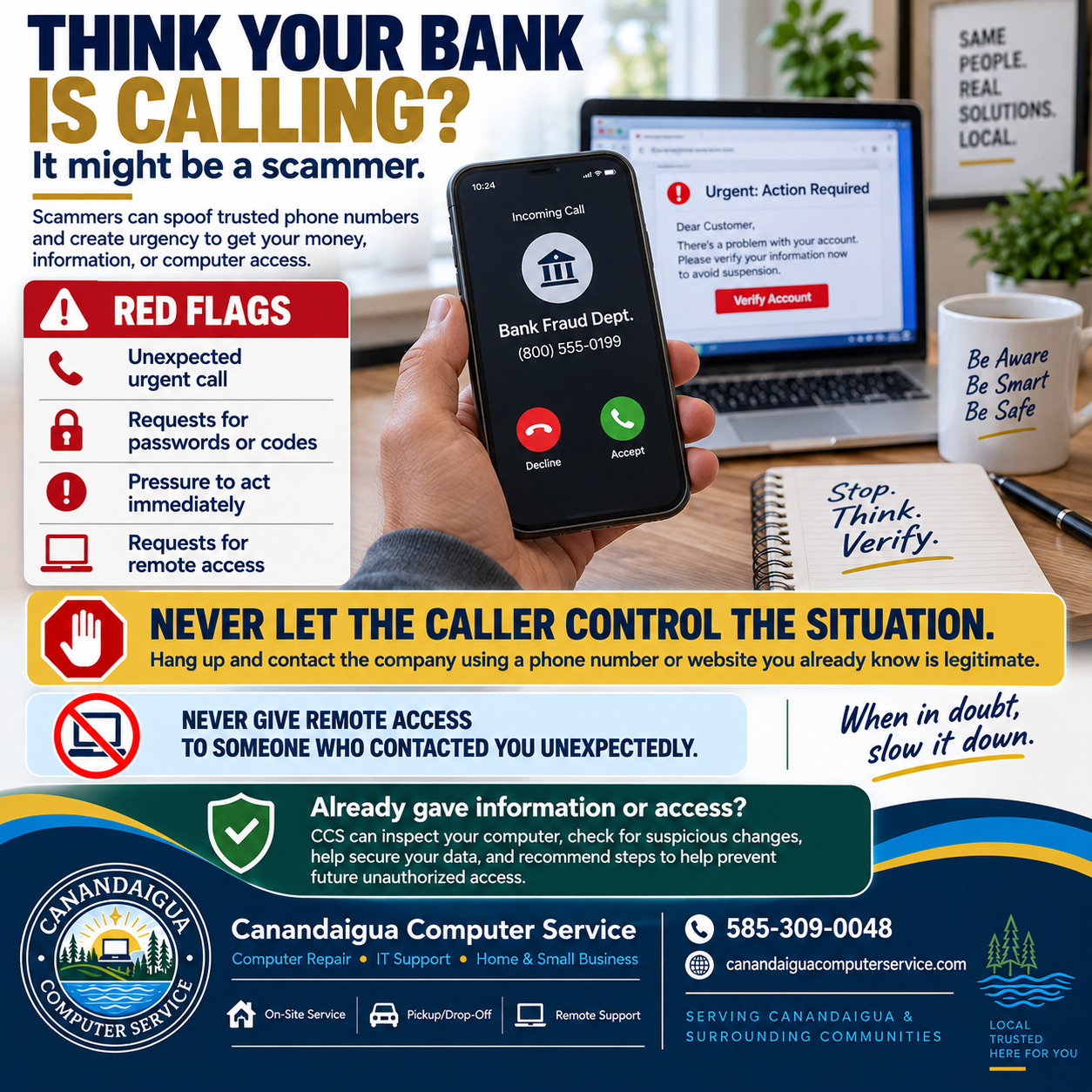
A fraudulent call may appear on your phone with the name of your bank, credit card company, technology provider, or another organization you recognize. The caller may already know pieces of personal information about you, and they may claim that your money, account, or computer is in immediate danger.
That combination of familiarity and urgency is exactly what makes these scams effective.
The safest response is simple:
Do not let an unexpected caller control the situation.
Caller ID Is Not Proof of Who Is Calling
One of the biggest mistakes people make is assuming that the name or phone number displayed on their phone proves who is calling.
Scammers can use a technique known as caller ID spoofing to make a call appear to originate from a legitimate organization.
You might see a familiar company name or even a phone number you recognize.
That does not necessarily mean the call is legitimate.
If someone unexpectedly contacts you about suspicious activity, a security problem, a payment, or an account issue, treat the call cautiously until you independently verify it.
Scammers Want You to Act Before You Think
Many scams rely on urgency.
The caller may tell you:
- Your bank account has been compromised
- Someone is attempting to steal your money
- Your computer has been infected
- A suspicious purchase was made
- Your account will be suspended
- You need to act immediately to prevent further damage
The goal is often to prevent you from slowing down long enough to recognize that something does not add up.
If someone insists that you must take action right now, that should be a warning sign.
Never Share Passwords or Verification Codes
Passwords, PINs, security codes, and two-factor authentication codes are designed to protect your accounts.
Do not provide them to someone who contacts you unexpectedly.
Be particularly cautious if someone asks you to read back a code that was just sent to your phone or email.
That code may be the final piece they need to access your account.
Be Extremely Careful With Remote Computer Access
Tech support scams often include another dangerous request:
“Install this program so I can help you.”
The software may actually be a legitimate remote-support application, but that does not mean the person asking you to install it is legitimate.
Once remote access is granted, a scammer may potentially:
- View files stored on your computer
- Access email accounts
- Install unwanted software
- Change computer settings
- Search for stored passwords or financial information
- Manipulate what appears on your screen
- Maintain unauthorized access if additional software is installed
A good rule to remember is:
Never give remote access to someone who contacted you unexpectedly.
If you intentionally contacted a company using verified contact information and requested support, that is a different situation.
What Should You Do Instead?
If you receive a suspicious call, text message, email, or computer warning:
- Stop and do not provide information.
- End the call or conversation.
- Do not use contact information provided by the suspicious message.
- Contact the organization yourself using information you already trust.
For example, if someone claims to be calling from your bank, use the phone number printed on the back of your debit or credit card.
If someone claims to represent a company you use, visit that company's official website or app yourself rather than following a link sent to you.
The important thing is that you initiate the new contact.
What If You Already Gave Someone Access?
If you believe you may have interacted with a scammer, acting quickly can help limit further problems.
Depending on what happened, you may need to:
- Stop communicating with the person
- Disconnect the computer from the internet
- Change affected passwords
- Enable or update multi-factor authentication
- Contact your bank or credit card provider
- Review accounts for suspicious activity
- Remove remote-access software
- Have the computer inspected for unwanted programs or configuration changes
If someone had remote access to your computer, simply closing the remote-support window may not always be enough. Additional software or changes may have been made during the session.
Canandaigua Computer Service Can Help
If you have provided information or computer access to someone you now believe may have been a scammer, Canandaigua Computer Service can help investigate what happened.
CCS can assist with:
- Checking for suspicious or unwanted software
- Reviewing installed remote-access applications
- Virus and malware scans
- Computer security checks
- Reviewing suspicious system changes
- Removing unwanted programs
- Improving account and device security
- Helping implement safeguards to reduce the risk of future unauthorized access
We can also help you determine practical next steps based on what information or computer access was provided.
When in Doubt, Slow It Down
Legitimate organizations will generally give you an opportunity to independently verify who you are speaking with.
Scammers often do the opposite.
They want urgency, confusion, secrecy, and immediate action.
If something does not feel right, stop, verify, and contact the organization yourself.
Those few extra minutes can make a major difference.
Canandaigua Computer Service
Computer Repair • IT Support • Home & Small Business Technology
📞 585-309-0048
✉️ andrew@canandaiguacomputerservice.com
🌐 canandaiguacomputerservice.com
Serving Canandaigua and surrounding communities throughout the Canandaigua Lake region.
If you believe someone may have gained unauthorized access to your computer, CCS can help inspect the system, secure your data, and put protections in place to help prevent it from happening again.